Samsung
Buy Samsung phones on eligible credit-card installments in Pakistan through MallWal. Compare the Galaxy listings below, select the exact variant, and review its available 4, 6 or 10 month plan. Phones are Available on Order / Subject to Availability; a published listing does not guarantee immediate supplier stock.
Compare Galaxy A, Galaxy S and foldable phones
Choose the phone around your daily use, then compare its exact specifications and complete offer. Series names are a starting point, not a promise that every model has the same camera, processor, network support or warranty.
| Your shortlist | Checks before you choose |
|---|---|
| Galaxy A models | For everyday calls, classes and work apps, compare storage, battery needs and the precise features listed for the phone. Review the Galaxy A56 5G and Galaxy A35 5G offers if they match your shortlist. |
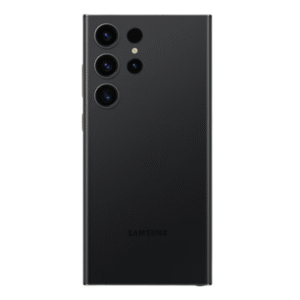
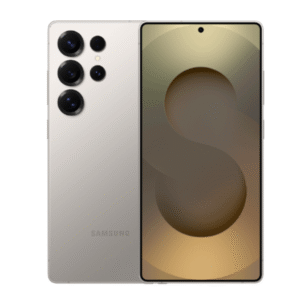
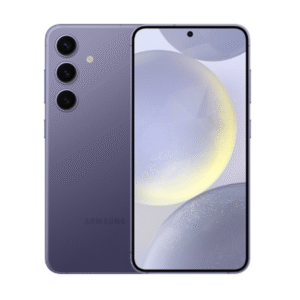
| Galaxy S models | For photos, games or video, check the exact model’s camera and processor information, storage and software support. The Galaxy S25 Ultra listing is an option to assess, not a suitability or immediate-stock guarantee. |
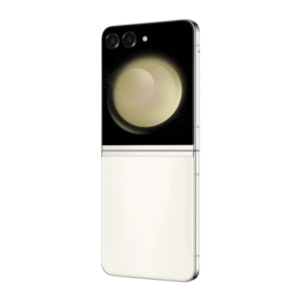
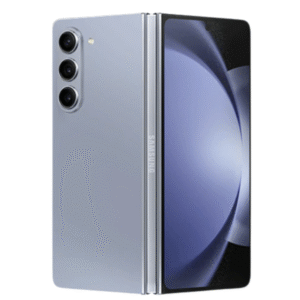
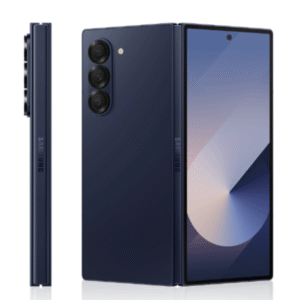
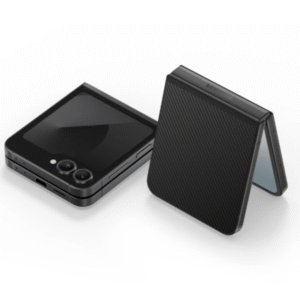
| Galaxy Z foldables | Check whether the folding format suits your use. Confirm the supplied unit’s condition, display and hinge coverage, repair arrangements and full warranty terms before accepting an offer. |
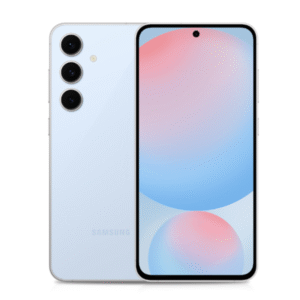
If the Galaxy A26 5G listing is relevant to your budget, compare its own offer rather than treating all A-series phones as equivalent. Match the full model number, physical RAM, storage, colour and regional/network version. Physical RAM and extended memory should be checked separately.
Comparing an A17? Read the Galaxy A17 LTE vs 5G model-code guide before requesting a quotation. Manufacturer regional examples explain the network and memory differences; they do not confirm a sourceable MallWal offer.
Review other published options in the current phone catalogue. Confirm the PTA status, condition and Pakistan warranty arrangement for the exact unit to be supplied; photographs and series names do not establish those details.
Compare 4, 6 and 10 month offers correctly
The monthly amount and the complete selling total answer different questions. The monthly amount shows the scheduled payment; the selling total shows the product offer for that selected variant and tenure. Read both for every available option instead of assuming a longer tenure has an identical total.
- Open the phone listing and choose its exact variant.
- Select an available 4, 6 or 10 month option.
- Check the displayed total, monthly amount and applicable terms.
- Confirm card eligibility and the limit required by the actual payment route.
- Confirm supplier availability and delivery expectations before payment.
The nationwide credit-card installment guide explains the buying route. Review the installment terms and selling-total and bank-charge explanation before proceeding. Bank Alfalah Alfa BNPL is one available option; approval and issuer/payment-partner terms apply. A 0% markup label is not a universal promise of no fees for every card or transaction.
Eligibility checklist before Samsung card checkout
- Confirm that your credit card and selected installment route are supported; not every Pakistani bank or card is guaranteed to qualify.
- Ask what available credit limit the chosen route requires. Do not assume that a limit equal only to one monthly installment is sufficient.
- Review the full selling total, monthly payment and issuer/payment-partner terms for your selected tenure.
- Confirm supplier availability, the exact variant, delivery estimate and warranty before authorising payment.
- Complete the applicable bank verification. A published product or enquiry does not guarantee transaction approval.
Nationwide online installments use the eligible credit-card route; online COD is not offered. For alternatives across brands, use the mobile phone installment buying hub. For Sialkot local financing, confirm its separate customer-verification and management-approval process.
Delivery, warranty and missing models
Products are generally sourced after a confirmed order. Free delivery applies only to eligible mobile orders under the delivery policy. Check coverage and service arrangements in the warranty policy and on the exact offer.
If your Galaxy model or variant is missing, Request a Product with the full model, RAM, storage and colour. An enquiry starts an availability check; it does not reserve stock or guarantee financing approval.
Samsung installment questions
Can I pay by debit card or online COD?
MallWal nationwide online installments use an eligible supported credit card. Do not assume debit-card installment support. Online COD is not offered.
Does every bank or credit card qualify?
No blanket guarantee applies. Eligibility, the available limit required by the chosen route and transaction approval must be checked before purchase.
Are phones held in a retail showroom?
No warehouse or stocked-showroom availability is promised. Confirm supplier availability for the exact phone. MallWal, operated by Mallwal (Private) Limited in Sialkot, handles online ordering and customer assistance.
What if I need local Sialkot financing?
That is a separate service with customer verification and management approval, rather than the nationwide checkout route. Contact MallWal to confirm the appropriate route.
Ask for the software-support evidence for your exact Galaxy
If you plan to keep a Samsung phone for several years, include that intended ownership period in your quotation request. A Galaxy series name or a newly sealed box does not establish how much manufacturer support remains for the model.
Check the full manufacturer model code and regional version, then use the matching official product policy. Record operating-system upgrade commitments separately from the stated security-support period. Preserve qualifiers and the date checked. Do not assume a support period starts again on your purchase date.
Samsung’s current security-update scope distinguishes update schedules for selected models. Check the applicable exact model; a schedule can change and delivery depends on model, market and network provider. A consumer and enterprise listing should not be silently treated as the same commitment.
Use MallWal’s remaining software-support evidence worksheet to record the policy source, current software information if legitimately available, and unresolved questions. If two manufacturer statements appear inconsistent, seek clarification rather than advertising the longer date.
Request an exact Samsung variant with physical RAM, storage, city and your intended ownership horizon. Ask MallWal to confirm a sourceable unit, PTA status, warranty provider and complete offer separately. Software-support evidence does not guarantee stock, app compatibility, credit-card eligibility or installment approval.
Need a pen or an external monitor?
Check the exact Galaxy model and regional documentation before choosing accessories. Pen input, app functions and a wired monitor connection are separate capabilities; a USB-C port or Galaxy name does not establish support. Use the phone, pen and app compatibility checks and USB-C monitor buying checks to list the required phone, accessory and app evidence in your enquiry. Accessory availability and the phone quotation must be confirmed separately.
Showing 1–12 of 18 resultsSorted by latest
-
Brand :Selling total from Rs 144,000.00From Rs 14,400.00 / month for 10 months0% Markup Islamic Plan
Terms and eligibility apply.Choose optionsAvailable on Order
-
Brand :Selling total from Rs 165,600.00From Rs 16,560.00 / month for 10 months0% Markup Islamic Plan
Terms and eligibility apply.Choose optionsAvailable on Order
-
Brand :Selling total from Rs 459,600.00From Rs 45,960.00 / month for 10 months0% Markup Islamic Plan
Terms and eligibility apply.Choose optionsAvailable on Order
-
Brand :Selling total from Rs 528,000.00From Rs 52,800.00 / month for 10 months0% Markup Islamic Plan
Terms and eligibility apply.Choose optionsAvailable on Order
-
Brand :Selling total from Rs 378,000.00From Rs 37,800.00 / month for 10 months0% Markup Islamic Plan
Terms and eligibility apply.Choose optionsAvailable on Order
-
Brand :Selling total from Rs 442,800.00From Rs 44,280.00 / month for 10 months0% Markup Islamic Plan
Terms and eligibility apply.Choose optionsAvailable on Order
-
Brand :Selling total from Rs 788,400.00From Rs 78,840.00 / month for 10 months0% Markup Islamic Plan
Terms and eligibility apply.Choose optionsAvailable on Order
-
Brand :Selling total from Rs 726,000.00From Rs 72,600.00 / month for 10 months0% Markup Islamic Plan
Terms and eligibility apply.Choose optionsAvailable on Order
-
Brand :Selling total from Rs 462,000.00From Rs 46,200.00 / month for 10 months0% Markup Islamic Plan
Terms and eligibility apply.Choose optionsAvailable on Order
-
Brand :Selling total from Rs 348,000.00From Rs 34,800.00 / month for 10 months0% Markup Islamic Plan
Terms and eligibility apply.Choose optionsAvailable on Order
-
Brand :Selling total from Rs 264,000.00From Rs 26,400.00 / month for 10 months0% Markup Islamic Plan
Terms and eligibility apply.Choose optionsAvailable on Order
-
Brand :Selling total from Rs 102,000.00From Rs 10,200.00 / month for 10 months0% Markup Islamic Plan
Terms and eligibility apply.Choose optionsAvailable on Order