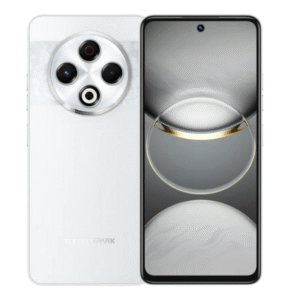
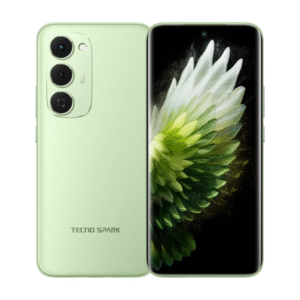
Tecno
Looking for a TECNO mobile on installments in Pakistan? Browse the published Spark and CAMON options below, then check the exact phone and payment plan before placing an order with MallWal, operated by Mallwal (Private) Limited. Every phone remains Available on Order / Subject to Availability.
Browse the phone catalogue or Request a TECNO model, colour or storage option for an availability check.
Make a Spark or CAMON shortlist
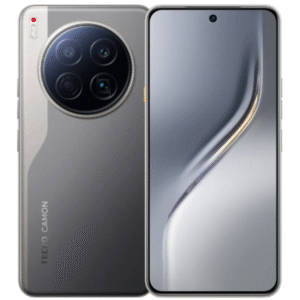
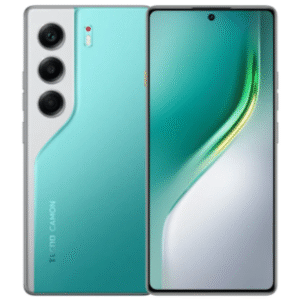
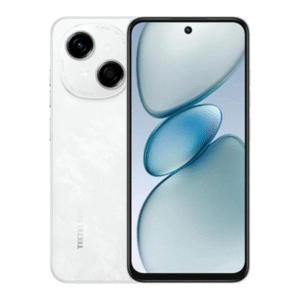
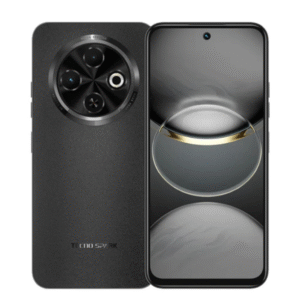
Begin with your daily needs: calls and apps, photos, games, battery use or storage. The Spark and CAMON names describe ranges; use the full model name and published specifications to make a comparison. For example, review the Spark 40 Pro listing alongside the CAMON 40 Pro listing when making your shortlist.
A Pro or Premier suffix, a generation number and a 5G designation can identify different phones. Confirm the exact physical RAM, storage, colour and network version shown for your choice. Extended-memory figures should be checked separately from physical RAM. The linked listings are options to review, rather than promises of immediate stock.
Compare the complete TECNO installment offer
Look at both the final selling total and the monthly amount for the available 4, 6 or 10 month option. A lower monthly payment alone does not tell you the complete cost or eligibility. Nationwide online orders use the credit-card route: the card must be supported and eligible, with enough available limit and transaction approval. Bank Alfalah Alfa BNPL is one available payment option, subject to issuer and payment-partner terms.
Read the Pakistan credit-card installment guide for the ordering steps and tenure comparison, and check the applicable installment terms before payment. Do not treat 0% markup as a promise that every issuer or transaction has no charges.
Confirm sourcing, warranty and your service route
Before ordering a TECNO phone, confirm supplier availability, expected delivery and the warranty arrangement for that exact variant. Eligible online mobile orders receive free delivery under the published delivery policy. If the required phone is not listed, use the request link to share its full model and variant; a request does not reserve stock or guarantee a quote.
Customers seeking local installment service in Sialkot follow a separate verification and management-approval process. The Sialkot office supports operations and management. Ask MallWal about your TECNO enquiry if the product, warranty or payment route is unclear.
Check the exact phone before ordering
Use the PTA buying checklist and exact-unit warranty checklist to confirm the supplied phone’s PTA status and warranty provider before proceeding. A brand name alone does not establish either.
Specify the TECNO camera and video task
For product photos, short clips or front-camera use, describe the actual task in your TECNO enquiry. Ask about the relevant lens, focus, stabilisation and supported video modes for the exact phone. A megapixel headline or CAMON/Spark series name does not establish the same result across models.
The TECNO Pakistan CAMON 40 Pro specification, for example, lists a 50MP autofocus front camera and an OIS main rear camera alongside a wide-angle camera. It also identifies a 4G network version. Keep that example separate from a CAMON 40 Pro 5G or another generation; confirm the exact regional model in the proposed offer.
For video, ask for documented resolution/frame-rate combinations and stabilisation availability on the lens and mode you need. Do not infer every video mode from an OIS still-camera specification. Use the camera evidence and sample checklist for consistent comparison without invented test results.
Request an exact TECNO variant with physical RAM, storage, colour, city and your camera/video requirement. MallWal must confirm sourcing, PTA status, warranty, package and the actual eligible credit-card offer; a feature enquiry does not establish stock or transaction approval.
Will your recorded clips work in your editing app?
Camera recording support and the ability to edit or share the resulting file are separate checks. Use the video format, editing and sharing checklist to identify the required recording mode, file format, editing app and export destination. Include that workflow with your exact TECNO model enquiry. A camera specification or sample clip does not guarantee that every app, laptop or sharing service will accept every recording setting.
Showing all 6 resultsSorted by latest
-
Brand :Selling total from Rs 156,000.00From Rs 15,600.00 / month for 10 months0% Markup Islamic Plan
Terms and eligibility apply.Choose optionsAvailable on Order
-
Brand :Selling total from Rs 79,200.00From Rs 7,920.00 / month for 10 months0% Markup Islamic Plan
Terms and eligibility apply.Choose optionsAvailable on Order
-
Brand :Selling total from Rs 27,600.00From Rs 2,760.00 / month for 10 months0% Markup Islamic Plan
Terms and eligibility apply.Choose optionsAvailable on Order
-
Brand :Selling total from Rs 36,000.00From Rs 3,600.00 / month for 10 months0% Markup Islamic Plan
Terms and eligibility apply.Choose optionsAvailable on Order
-
Brand :Selling total from Rs 48,000.00From Rs 4,800.00 / month for 10 months0% Markup Islamic Plan
Terms and eligibility apply.Choose optionsAvailable on Order
-
Brand :Selling total from Rs 58,800.00From Rs 5,880.00 / month for 10 months0% Markup Islamic Plan
Terms and eligibility apply.Choose optionsAvailable on Order